No SSH, no LAN world: one jar plus one URL. Point Claude, ChatGPT or any MCP client at your server and it can survey the terrain, build, look at the result and roll back. Or let players type /ashlar in game.
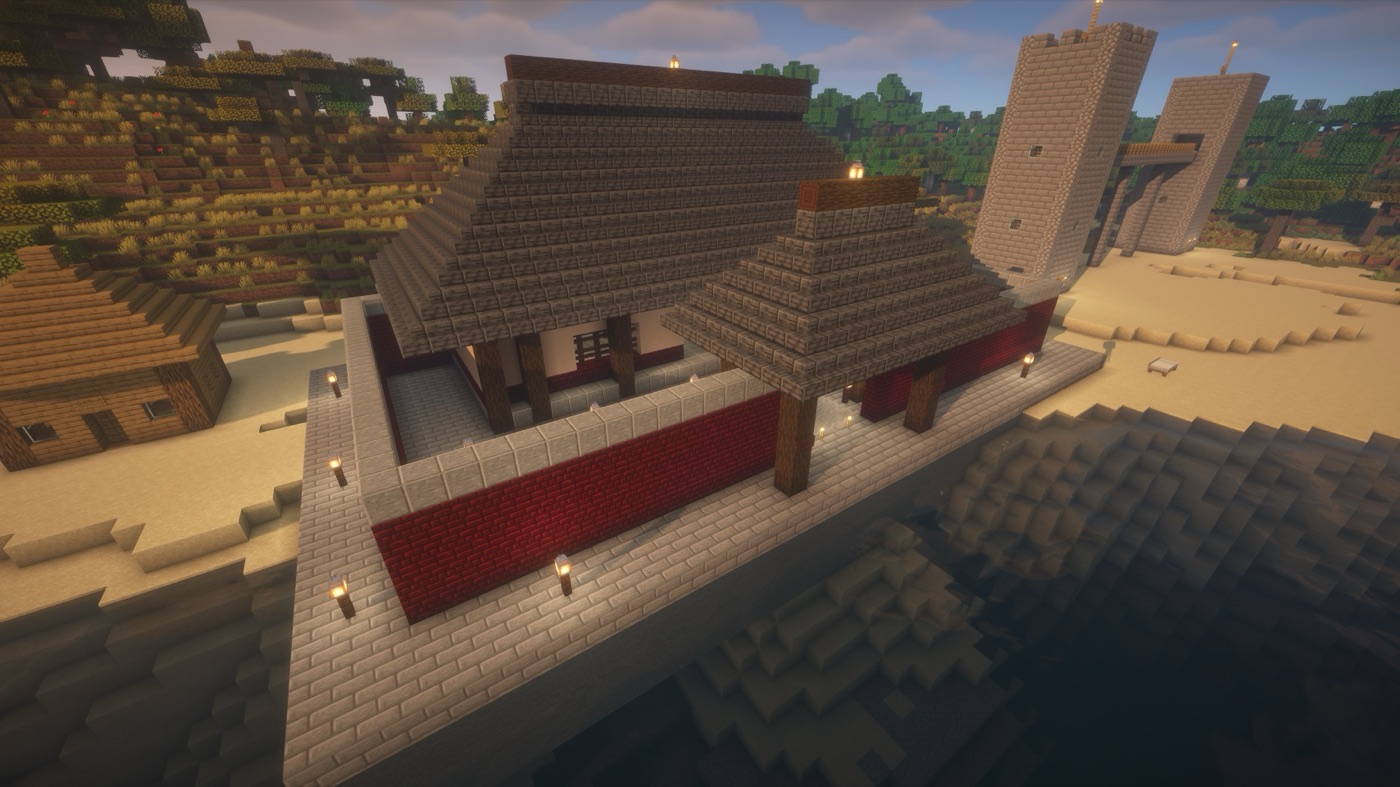
The tool layer lives entirely in the plugin. The MCP server is a thin adapter that fetches the tool catalog from the plugin at startup and forwards calls, so every AI client and the in-game assistant use exactly the same nine tools.
Claude Desktop, Claude Code, Codex, OpenCode, Cursor - anything that speaks MCP over stdio or HTTP.
ashlar-mcpA Node process started with npx -y ashlar-mcp. Connects to the plugin over WebSocket; no Ashlar logic of its own.
Validates every request, then writes blocks on the main thread within a per-tick time budget, so the server keeps ticking during a 500,000-block build.
The /ashlar path skips the first two boxes: the plugin calls the model API itself over an outbound HTTPS connection - no Node, no inbound port.
Typical flow: mc_players → mc_survey or mc_render to see the site → mc_snapshot → mc_build → mc_render/mc_inspect to verify → mc_restore if it went wrong.
mc_statusServer and plugin health, queue length.
mc_playersOnline players with position, facing and the block they are looking at - "here", "in front of me", "that wall".
mc_surveyTerrain survey of an area: a heightmap image plus exact numbers (min/max/median height, surface mix, largest flat zone).
mc_renderPNG of a region: top view, any facade, a slice, or a heightmap - so the model can look at what it built.
mc_buildBulk placement: cuboid fills (replace/keep/outline/hollow/walls), single blocks, sign text, flowing water, and lettering rendered from a built-in font (English or Chinese, any size). The only tool that changes the world.
mc_inspectExact block contents of a region: statistics, an ASCII slice, per-column runs, sign text.
mc_snapshotSave a region before touching it.
mc_restoreRoll a region back to a snapshot.
mc_commandRun a console command and return its output. Never offered to the in-game assistant unless the operator enables it.
Physics is off while writing, so nothing falls or pops mid-build; a connection pass afterwards lets fences, panes, walls and stairs connect like hand-placed blocks; and anything left without support is reported back as a warning the model is expected to fix before saying "done".
Every request is validated before it is queued: block limits, chunk limits, allowed worlds, an optional build region. Builds are tick-budgeted, so a big fill costs ticks, not TPS. Snapshots make every change reversible.
Everyone starts with the plugin. After that there are two ways to use it, and you can enable either or both.
Drop ashlar-*.jar into plugins/ on a Paper 26.2+ server (Java 25) and start it once; it writes plugins/Ashlar/config.yml.
/ashlarIn config.yml set mode: ingame and put a model API key in agent.model.api-key (any OpenAI-compatible API such as DeepSeek), then restart. Players with the ashlar.use permission can now type /ashlar <request>.
That is all. No Node, no MCP client, no inbound port - the plugin calls the model API itself.
For using Ashlar from Claude Desktop, Claude Code, Codex, OpenCode, Cursor and the like: keep mode: both (or mcp), set server.token in config.yml and open the WebSocket port (default 8765); have Node 22+ on the machine that runs the client; then add Ashlar to the client's MCP config - pick your client below. Nothing to install by hand: the client starts the MCP server with npx -y ashlar-mcp.
{
  "mcpServers": {
    "ashlar": {
      "command": "/absolute/path/to/npx",
      "args": ["-y", "ashlar-mcp", "--stdio"],
      "env": {
        "MC_PLUGIN_URL": "ws://<your-server-ip>:8765",
        "MC_PLUGIN_TOKEN": "<the token from config.yml>"
      }
    }
  }
}
Settings → Developer → Edit Config. Use an absolute path to npx and choose "Tools already loaded" under the connector's tool access.
claude mcp add --scope user --transport stdio ashlar \
  -e MC_PLUGIN_URL=ws://<your-server-ip>:8765 \
  -e MC_PLUGIN_TOKEN=<the token from config.yml> \
  -- npx -y ashlar-mcp --stdio
{
"$schema": "https://opencode.ai/config.json",
"mcp": {
"ashlar": {
"type": "local",
"command": ["npx", "-y", "ashlar-mcp", "--stdio"],
"environment": {
"MC_PLUGIN_URL": "ws://<your-server-ip>:8765",
"MC_PLUGIN_TOKEN": "<the token from config.yml>"
},
"timeout": 120000,
"enabled": true
}
}
}opencode.json in the project or ~/.config/opencode/opencode.json. The token is in there, so keep a project-level file out of git.
[mcp_servers.ashlar]
command = "npx"
args = ["-y", "ashlar-mcp", "--stdio"]
startup_timeout_sec = 60   # default 10; the first "npx -y" downloads the package
tool_timeout_sec = 600     # default 60; a large mc_build needs more

[mcp_servers.ashlar.env]
MC_PLUGIN_URL = "ws://<your-server-ip>:8765"
MC_PLUGIN_TOKEN = "<the token from config.yml>"~/.codex/config.toml, or run codex mcp add ashlar --env MC_PLUGIN_URL=... --env MC_PLUGIN_TOKEN=... -- npx -y ashlar-mcp --stdio. Raise tool_timeout_sec: Codex drops a tool call after 60 seconds by default, while a large build takes longer.
MC_PLUGIN_URL=ws://127.0.0.1:8765 \
MC_PLUGIN_TOKEN=<plugin token> \
MCP_HTTP_TOKEN=<a second long random token> \
npx -y ashlar-mcp --http
Run the MCP server once, e.g. on the same VPS as a panel-hosted Paper server, and point clients at https://mcp.example.com/mcp with Authorization: Bearer <MCP_HTTP_TOKEN> (or /mcp/<token> for clients that cannot set headers). Put a TLS-terminating proxy in front; Caddy does it in one line.
On Chinese panel hosts, use the server's IP in MC_PLUGIN_URL, not a domain: some datacenters filter HTTP requests by Host header, which breaks the WebSocket handshake.
For the players and friends on your server who do not run an AI client. The plugin talks to the model API itself; put a key in config.yml and /ashlar works for everyone with the permission.
agent:
  mode: embedded
  model:
    base-url: https://api.deepseek.com
    api-key: "sk-..."
    model: deepseek-flash
  limits:
    max-cost-per-player-per-day: 1.00
mode: both        # or ingame, mcp, external
language: zh_CN   # or en, or auto
Any OpenAI-compatible chat API works. Per-player daily limits on requests, tokens and cost; prepaid credit for players you want to sponsor; /ashlar usage reports by day. The assistant replies in the player's language; the plugin's own chat text is English or Chinese.
The assistant snapshots before it builds, and /ashlar undo rolls the last one back with no model call at all. Support warnings are fed back to the model so floating signs and embedded torches get fixed before it says done.
ashlar.use permission or an allow list, cooldown and message length per request, a build region fence, house rules appended to the system prompt, and /ashlar pause when you need a break.
Every model call is metered: tokens and cost per request, per player, per day, with peak/off-peak pricing. Operators see it with /ashlar usage <player>.
| Component | Status |
|---|---|
| Paper 26.2 | Tested |
| Paper 26.3 | Tested (same jar) |
| Java | 25 (Paper 26.x's own requirement) |
| Node | 22 or newer on the client machine (not needed for /ashlar) |
| MCP clients | Any MCP SDK v2 client: Claude Desktop, Claude Code, Codex, OpenCode, Cursor, ... |
| Not supported | Minecraft 1.21.x and older, Folia, Bedrock Edition |
 Ashlar